Episode four of the Shopware plugin series. Video here, code in the GitHub repo.
A list that keeps growing
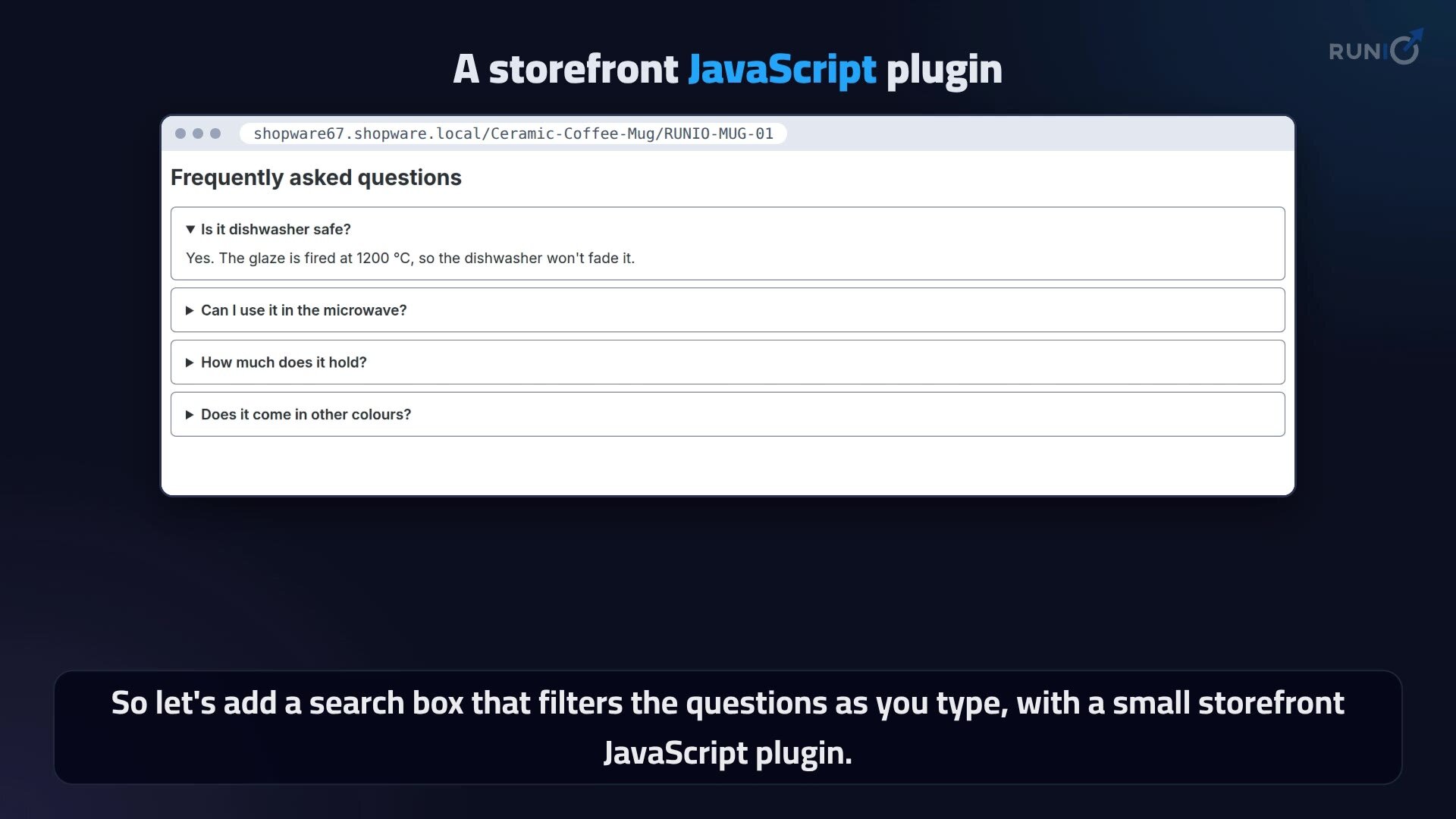
The product questions work. But once a product has a dozen of them, customers have to scroll and open each one to find what they're looking for. A search box that filters the list while you type fixes that, and it's a good excuse to look at how JavaScript works in the Shopware storefront.
How storefront plugins are found
A storefront JavaScript plugin is a plain class. Shopware's plugin manager looks for matching elements on the page and starts one instance per element. The link between HTML and JavaScript is a data attribute. Wherever the markup says data-runio-faq-search, our plugin runs.
The code goes into the plugin's src/Resources/app/storefront/src folder. main.js registers the plugin, and the class lives in its own file.
Registering it, lazily
// Loaded only on pages that contain the FAQ, so other pages don't download it
window.PluginManager.register(
    'RunioFaqSearch',
    () => import('./runio-faq-search/runio-faq-search.plugin'),
    '[data-runio-faq-search]',
);
The second argument is the detail I want to point out. Instead of importing the class at the top of the file, I pass a dynamic import(). Shopware then only downloads the file on pages that actually contain the FAQ. On the homepage it's never requested, on a product page it loads once. For one small plugin that's not a big deal, but shops tend to collect a lot of these.
The class
const { PluginBaseClass } = window;

export default class RunioFaqSearchPlugin extends PluginBaseClass {
    static options = {
        inputSelector: '.runio-faq-search-input',
        itemSelector: '.runio-faq-item',
        emptySelector: '.runio-faq-empty',
        statusSelector: '.runio-faq-status',
        statusText: '%visible% of %total% questions match',
    };

    init() {
        this.input = this.el.querySelector(this.options.inputSelector);
        this.items = [...this.el.querySelectorAll(this.options.itemSelector)];
        this.empty = this.el.querySelector(this.options.emptySelector);
        this.status = this.el.querySelector(this.options.statusSelector);
        this.openBefore = null;

        this.input.addEventListener('input', this.onInput.bind(this));
    }
}
The static options hold the selectors and the status text. Another developer can override them from the template without touching this file. init() runs when the plugin starts, and this.el is the element it was bound to, so everything is looked up inside that element only.
Filtering
On every keystroke each question is hidden unless its text contains the search term, and the ones that match are opened so the answer is right there:
this.items.forEach((item, index) => {
    const match = item.textContent.toLowerCase().includes(term);

    item.hidden = !match;
    item.open = term ? match : this.openBefore?.[index] ?? item.open;
});
The openBefore part is easy to overlook. Before the first filter runs, the plugin remembers which questions the customer had open. When they clear the box, those come back exactly as they were, instead of everything being open or everything closed.
Two more small things. If nothing matches, a "no results" message shows. And a visually hidden role="status" line gets text like "2 of 6 questions match", so screen reader users hear what happened. Finally the plugin publishes an event, runioFaqSearch/filtered, so other plugins can react to a search if they want to.
The template
The FAQ wrapper gets the data attribute plus the translated status text as its options:
<div class="runio-faq"
     data-runio-faq-search
     data-runio-faq-search-options="{{ { statusText: 'runioProductFaq.status'|trans|striptags }|json_encode }}">
    <label class="form-label" for="{{ inputId }}">{{ 'runioProductFaq.searchLabel'|trans|sw_sanitize }}</label>
    <input type="search" id="{{ inputId }}" class="form-control runio-faq-search-input">
    {# the questions #}
    <p class="runio-faq-empty" hidden>{{ 'runioProductFaq.noResults'|trans|sw_sanitize }}</p>
    <p class="runio-faq-status visually-hidden" role="status"></p>
</div>
The input has a real, visible label. A placeholder alone isn't a label.
Building and trying it
bin/build-storefront.sh compiles it into a small file inside the plugin, and that file ships with the plugin. Type "micro" and only the microwave question is left, already open. Type "colour" and the question added in the admin last episode shows up. Type something that isn't there and the message appears.
Recap
A class that extends PluginBaseClass, registered in main.js, bound by a data attribute, loaded only where it's needed, configured through options and built into the plugin.
Next time the questions get their own Store API route, so apps and headless frontends can read them too.
Author Amer Malik Mohammed
Full-Stack Developer with 2+ years of experience in object-oriented PHP development (Symfony), JavaScript and MySQL. Specialized in e-commerce solutions (Shopware 5/6), REST API development and process automation in agile teams.
Contact author