Episode three of the Shopware plugin series. Watch it here, and the code is in the GitHub repo.
Why an admin screen
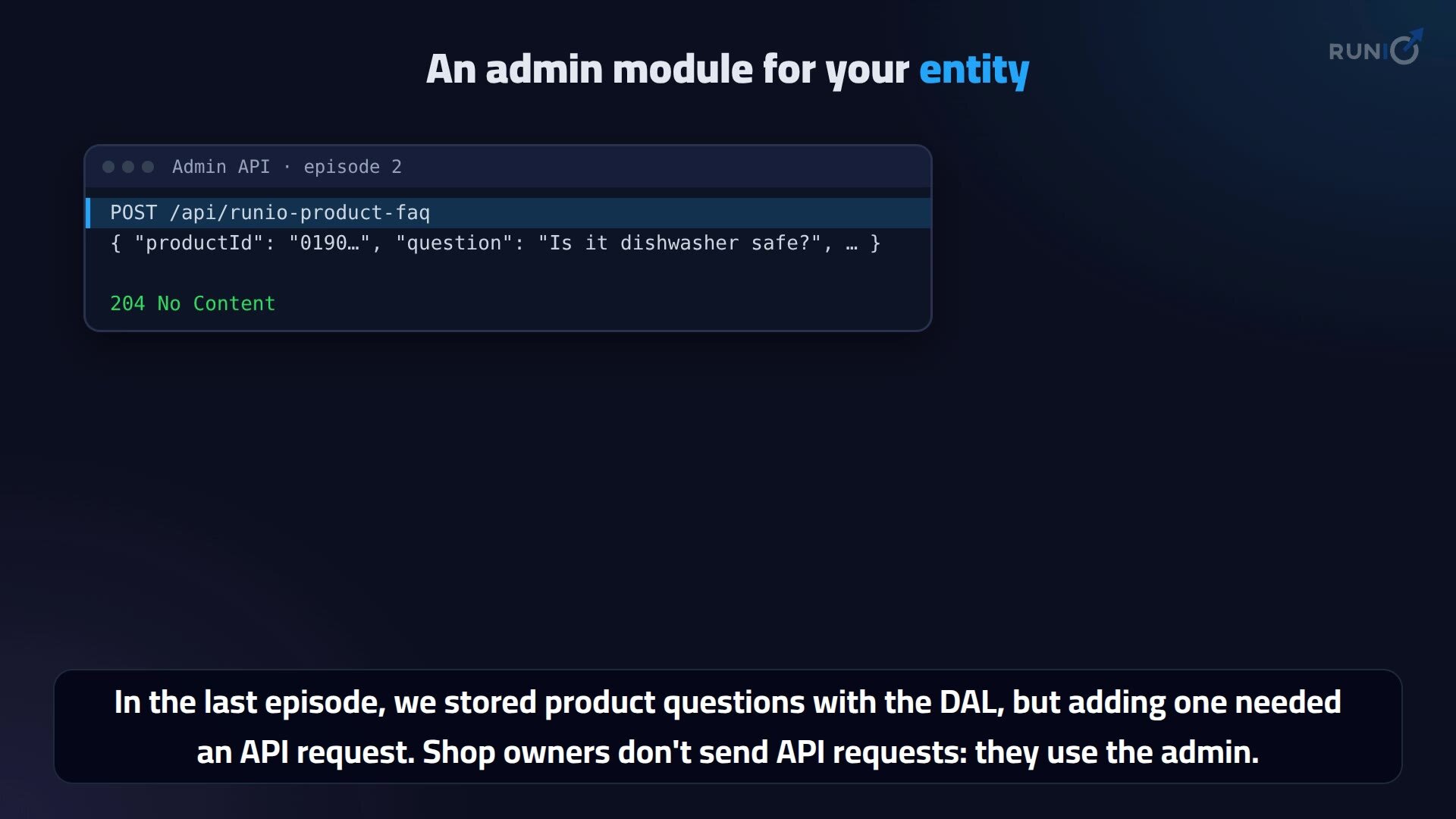
In the last episode the product questions went into the database with the DAL, but creating one meant sending an API request. That's fine for me, not for the person running the shop. They live in the admin. So this time the questions get a proper module there: a list of all questions and a form to add and edit them.
Where the files go
Admin code lives under src/Resources/app/administration. The entry point is main.js, and all it does is import the module:
import './module/runio-product-faq';
The module folder has four parts: the registration, the pages, the permissions and the translations.
Registering the module
Module.register describes the module: its name, colour, icon, and the entity it manages. Routes connect URLs to pages, and the navigation entry puts it in the Catalogues menu next to products and manufacturers.
Shopware.Module.register('runio-product-faq', {
    type: 'plugin',
    name: 'runio-product-faq',
    title: 'runio-product-faq.general.title',
    color: 'var(--sw-color-module-green-default)',
    icon: 'regular-comments',
    entity: 'runio_product_faq',

    routes: {
        list: { component: 'runio-product-faq-list', path: 'list' },
        create: { component: 'runio-product-faq-detail', path: 'create' },
        detail: {
            component: 'runio-product-faq-detail',
            path: 'detail/:id',
            props: { default: (route) => ({ faqId: route.params.id.toLowerCase() }) },
        },
    },

    navigation: [{
        id: 'runio-product-faq',
        label: 'runio-product-faq.general.title',
        path: 'runio.product.faq.list',
        parent: 'sw-catalogue',
        position: 100,
    }],
});
I trimmed the privilege settings out of this snippet. The real file in the repo has a privilege on each route, more on that below.
Create and detail point at the same component. The detail route passes the ID as a prop, and when there's no ID the page knows it's creating a new question.
The list page
The list uses the same idea as the PHP code in episode two, a repository and a Criteria, only in JavaScript this time:
computed: {
    faqRepository() {
        return this.repositoryFactory.create('runio_product_faq');
    },

    criteria() {
        const criteria = new Criteria(1, 25);
        criteria.addAssociation('product');
        criteria.addSorting(Criteria.sort('position', 'ASC'));

        return criteria;
    },
},
The product association is there so the table can show the product name next to each question. The result goes into sw-entity-listing, Shopware's own table component, which brings sorting, paging and delete with it. I only had to describe the columns.
The detail page
The form is built from Shopware's Meteor components: sw-entity-single-select to pick the product, mt-text-field for the question, mt-textarea for the answer, mt-number-field for the position and mt-switch for active.
Loading and saving are short. For a new question the repository creates an empty entity, for an existing one it loads it by ID:
async loadFaq() {
    if (!this.faqId) {
        this.faq = this.faqRepository.create();
        this.faq.position = 0;
        this.faq.active = true;

        return;
    }

    this.faq = await this.faqRepository.get(this.faqId);
},
Saving is a single this.faqRepository.save(this.faq). You don't tell it whether to create or update, the repository works that out.
Errors for free
This is the part that saves the most work. Save an empty form and every field shows an error message underneath. Those are the Required flags from the PHP definition in episode two, coming back through the API. The only thing I did was connect them:
computed: {
    ...mapPropertyErrors('faq', ['productId', 'question', 'answer']),
},
That gives you faqQuestionError and friends, which you pass to each field's :error prop. The validation rule lives in one place, on the server.
Permissions
The ACL file decides who can view, edit, create or delete questions. Each role lists the privileges it needs and the roles it depends on, so you can give a staff member read access without letting them delete anything:
Shopware.Service('privileges').addPrivilegeMappingEntry({
    category: 'permissions',
    parent: 'catalogues',
    key: 'runio_product_faq',
    roles: {
        viewer: { privileges: ['runio_product_faq:read', 'product:read'], dependencies: [] },
        editor: { privileges: ['runio_product_faq:update'], dependencies: ['runio_product_faq.viewer'] },
        // creator and deleter follow the same pattern
    },
});
Note product:read on the viewer. The list loads the product of every question, so someone who can see questions also needs to be allowed to read products.
Last step: build the admin with bin/build-administration.sh and the module is there.
The result
The shop owner opens Catalogues, clicks Product FAQ, adds a question, picks the product and saves. It's in the list and on the product page, and nobody sent an API request.
Recap
main.js loads the module, Module.register describes it, routes and navigation connect it, the repository loads and saves, Required flags turn into form errors, and the ACL controls who can do what.
Next episode goes back to the storefront: a small JavaScript plugin that adds a live search box to the questions.
Author Amer Malik Mohammed
Full-Stack Developer with 2+ years of experience in object-oriented PHP development (Symfony), JavaScript and MySQL. Specialized in e-commerce solutions (Shopware 5/6), REST API development and process automation in agile teams.
Contact author